Why People Can Hear You Walking on Calls (and the Fix That Is Not Slowing Down)
Quick Answer: Audible breathing on calls comes from three things - a microphone too close to your mouth, a cadence above roughly 100 steps per minute, and a headset that boosts low frequencies. Move the mic off-axis, drop to 1.5-2.0 mph, and use a headset with a boom positioned at the corner of your mouth rather than in front of it.
Someone said it kindly on the call. Are you outside? Or worse: nobody said anything and you found out from a recording.
The standard advice is to stop walking during meetings, which defeats the entire point of owning the thing.
Almost all of it is fixable with equipment position and pace - not with mute.

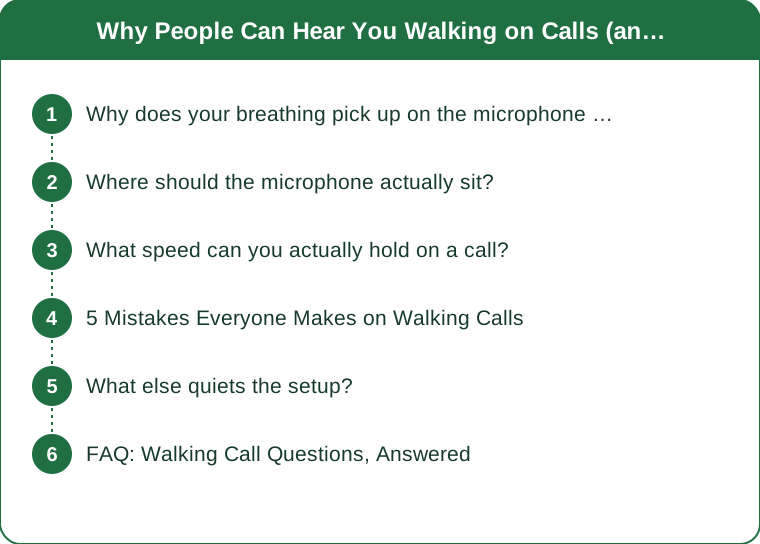
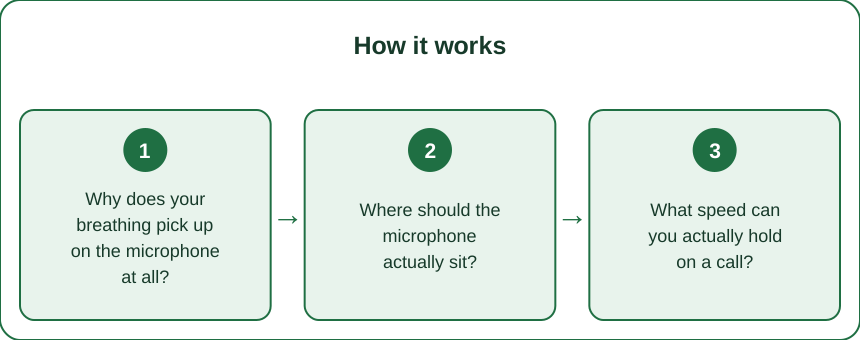
Why does your breathing pick up on the microphone at all?
Microphones are far more sensitive to close-range airflow than they are to distant sound. The physics is unhelpfully specific: a mic 1 inch from your mouth picks up roughly four times the sound pressure of one at 2 inches, and airflow noise scales even more sharply than voice does.
That means a boom mic sitting directly in front of your lips is capturing your breath stream, not just your voice. On a still day at a desk, that airflow is negligible. Walking at 2.5 mph, it is not.
Laptop microphones have a different problem - they are omnidirectional and pick up the belt and your footfalls along with everything else.
The good news is that both problems are position problems, and position is free to change.
Where should the microphone actually sit?
Off-axis, at the corner of your mouth, about 1-2 inches out.
Speech is directional - it projects forward from your mouth. Breath is also directional and projects in the same cone, but the breath cone is narrower. Moving the mic to the side of your mouth keeps you well inside the speech pickup while stepping outside the worst of the breath stream.
Specifics that work:
- Boom headsets: rotate the boom so the capsule sits beside the corner of your mouth, level with your lips, never in front of them.
- Earbuds with stem mics: these sit low on the jaw already, which is why they often outperform expensive headsets for walking calls.
- Desk mics: position above and pointed down at your mouth from the side, not in front.
If the mic has a foam windscreen, use it. It costs nothing and removes a surprising amount of breath noise.
What speed can you actually hold on a call?
The honest range for most people on a call they have to talk in is 1.5-2.0 mph. That corresponds to a cadence of roughly 85-100 steps per minute.
Above about 2.2 mph, two things change: your breathing rate rises above the threshold where it is audible between sentences, and your cadence starts producing a rhythmic body movement that the mic picks up as low-frequency thump.
A useful test: read a paragraph aloud at your intended speed and record it on the same setup you use for calls. If you can hear breath between sentences on playback, drop 0.2 mph and test again.
And change speed by meeting type. Listening-heavy meetings can run 2.5 mph comfortably. A meeting where you present belongs at 1.5, or paused entirely for the ten minutes you are speaking.

5 Mistakes Everyone Makes on Walking Calls
1. Talking on the inhale. Walking shifts your natural breath timing, and people start sentences on a partial breath, which produces the audible gasp mid-sentence. Pausing a half-beat longer before speaking fixes it.
2. Leaning on the desk. It feels stabilizing and it compresses your diaphragm, which makes breathing shallower and more frequent - exactly the wrong direction.
3. Using noise suppression as the whole solution. Software suppression handles steady background noise well and breath poorly, because breath is intermittent and in the same frequency range as speech. It helps; it does not solve.
4. Walking at the same speed all meeting. The speed that works while listening is not the speed that works while presenting.
5. Wearing over-ear headphones with a front boom. The most common corporate headset is also the worst geometry for this exact problem.
What else quiets the setup?
Beyond mic position and speed, three adjustments do real work:
- Shoes matter more than expected. A cushioned trainer on the belt is dramatically quieter than a hard-soled shoe, and quieter than barefoot, which produces a distinct slap.
- Mat under the pad. A rubber mat absorbs the low-frequency thump that travels through the floor and up your desk into the microphone stand.
- Desk contact. If your desk touches the walking pad at any point, every footfall is being transmitted directly into anything sitting on the desk. A few inches of clearance solves it.
And the simplest one: push to talk, or just keep your hand on the mute key. Being muted while listening is not a compromise, it is normal meeting behavior.
FAQ: Walking Call Questions, Answered
Will people notice if I slow down when I speak?
No. A 0.5 mph change is invisible on video and inaudible on audio. Most experienced walking-desk users adjust speed several times per meeting without anyone knowing.
Are bone conduction headphones better for this?
They are excellent for audio in but their microphones are usually placed near the temple, which picks up jaw and footfall noise. Mixed results - test before relying on them.
Does typing accuracy or speech clarity suffer more while walking?
Typing, by a wide margin. Speech is barely affected below 2 mph. If you have to choose which task to keep while walking, keep the talking and pause for the typing.
TL;DR:
- Breath noise is a microphone-position problem before it is a fitness problem.
- Put the mic at the corner of your mouth, 1-2 inches out, never directly in front.
- Hold 1.5-2.0 mph when you have to talk; 2.5 is fine for listening-heavy meetings.
- Pause a half-beat before speaking so you are not starting sentences on a partial breath.
- Cushioned shoes, a rubber mat, and desk clearance remove the low-frequency thump.
You bought the pad so the meetings would stop costing you your steps. Twenty minutes of setup gets you both, and nobody on the call ever needs to know.
See It in Motion
Seen here: High Waist 8” Yoga Shorts — shop similar styles on bubblelime.com
Keep Reading
This article is for general informational and styling purposes only. Fit, sizing, and product availability may vary.