Why Your Posture Gets Worse on a Walking Pad — and the Fix That Actually Works
Quick Answer: Walking pad posture tends to break down because typing or looking at a screen while walking pulls your head and shoulders forward in a way regular walking doesn’t — setting monitor height to eye level and consciously resetting posture every 10-15 minutes fixes most of the slump.
You walk fine outside. On the pad, twenty minutes in, you’re hunched over the keyboard like it’s pulling you down. That’s a setup problem, not a walking problem.

Why does walking pad posture break down specifically?
Normal walking naturally keeps your head upright since you’re watching where you’re going. Desk-walking removes that visual cue entirely — your eyes lock onto a screen at typing height, and your head and shoulders gradually drift forward to meet it, especially if the monitor sits lower than eye level.
This compounds over a session: the longer you walk while hunched toward a screen, the more that position feels ‘normal,’ making it harder to self-correct without a deliberate reset.
What monitor and desk setup actually prevents the slouch?
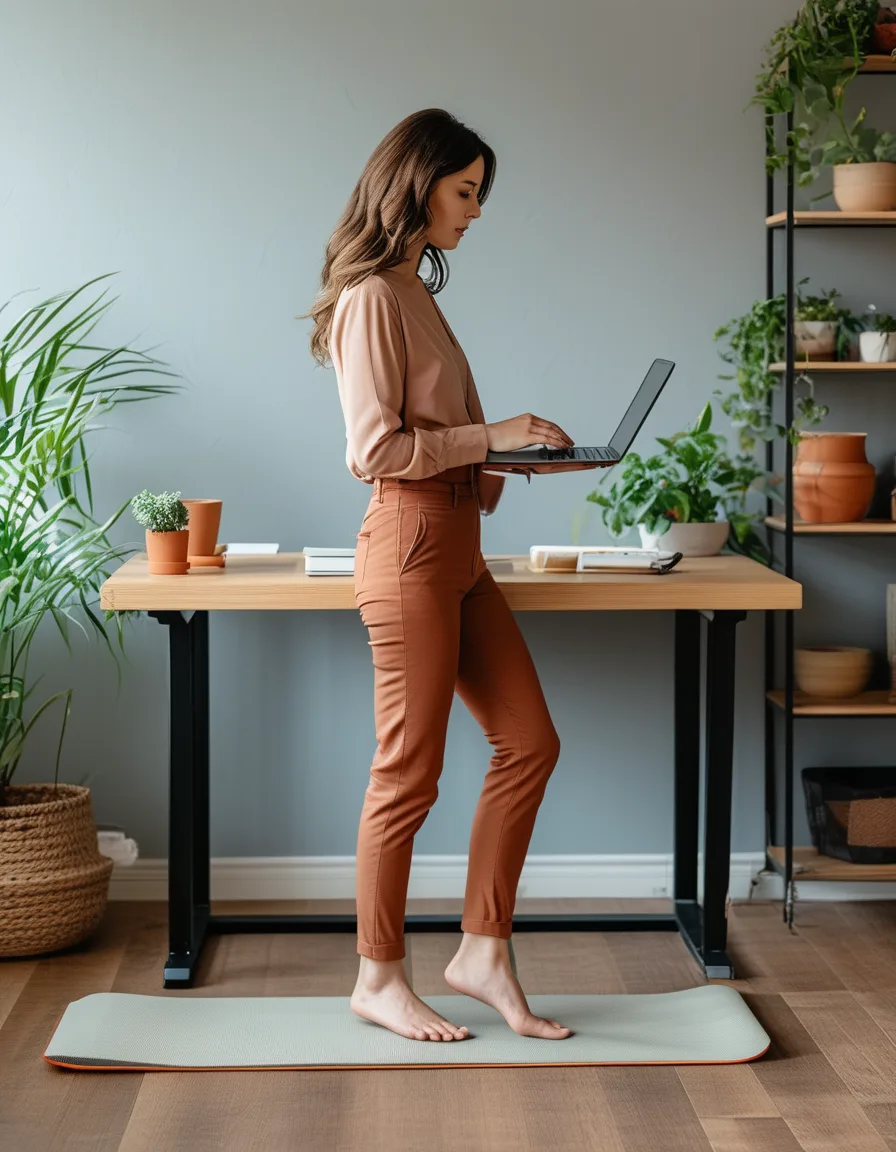
Monitor top at or just below eye level is the single biggest fix — it removes the reason your head drifts forward in the first place. If you’re using a laptop, a stand or raised platform matters here more than it does for stationary desk work, since walking adds movement that makes poor posture compound faster.
Keyboard and mouse at elbow height, roughly 90 degrees, prevents the secondary shoulder-rounding that often accompanies screen-driven forward head posture.
Does walking pad speed affect posture too?
Yes — walking too slowly for comfortable typing can actually encourage more forward lean, since a very slow pace requires less core engagement to stay balanced, letting posture relax into a slump more easily.
A moderate pace (roughly 2-2.5 mph for most desk-walking) tends to naturally encourage a more upright, engaged posture than the very slowest settings, simply because it requires a bit more active balance.
What Nobody Tells You About Posture Resets
Here’s what actually works better than trying to hold perfect posture the whole session: a deliberate reset every 10-15 minutes — shoulders back, chin gently tucked, eyes up — rather than attempting continuous perfect posture, which fatigues just like any sustained muscle position does.
A phone reminder or habit-stacking the reset with a natural break point (end of an email, a Slack notification) makes this far more sustainable than relying on willpower to maintain posture for a full hour.
FAQ: Walking Pad Posture Questions, Answered
Can walking pad slouching cause neck or back pain over time?
Yes — sustained forward head posture during walking-pad sessions can contribute to the same tension patterns as [[tech-neck-desk-setup-prevention-guide]] describes for stationary desk setups, compounded by the added movement.
Does an incline setting help or hurt walking pad posture?
A slight incline can encourage more upright posture for some people by engaging the core and glutes more actively, though it’s not a substitute for correct monitor height.
How do you know if your walking pad posture has actually improved?
A simple check: have someone glance at your side profile mid-session, or record a short video — persistent forward head position relative to your shoulders is the clearest visual sign to watch for.
TL;DR:
- Screen-focused desk-walking removes walking’s natural upright visual cue
- Monitor at eye level is the single biggest posture fix for walking pad setups
- Moderate pace (2-2.5 mph) naturally supports better posture than very slow speeds
- Reset posture every 10-15 minutes rather than trying to hold it continuously
Fix the monitor height first — most walking pad slouching disappears before you even think about posture consciously.
See It in Motion
Seen here: High Waist Jogger Sweatpants with Pockets — shop it on bubblelime.com
Keep Reading
This article is for general informational and styling purposes only. Fit, sizing, and product availability may vary.