Why Your Walking Pad Remote Lags — and How to Actually Fix It
Quick Answer: Most walking pad remote lag comes from Bluetooth interference caused by other 2.4GHz devices nearby (routers, phones, other Bluetooth gear) rather than a defective remote — moving the router, reducing device clutter near the pad, and keeping the app’s Bluetooth connection singular usually resolves it.
You tap the speed button and nothing happens for two full seconds. It’s not you, and it’s probably not even a broken remote — it’s radio traffic.

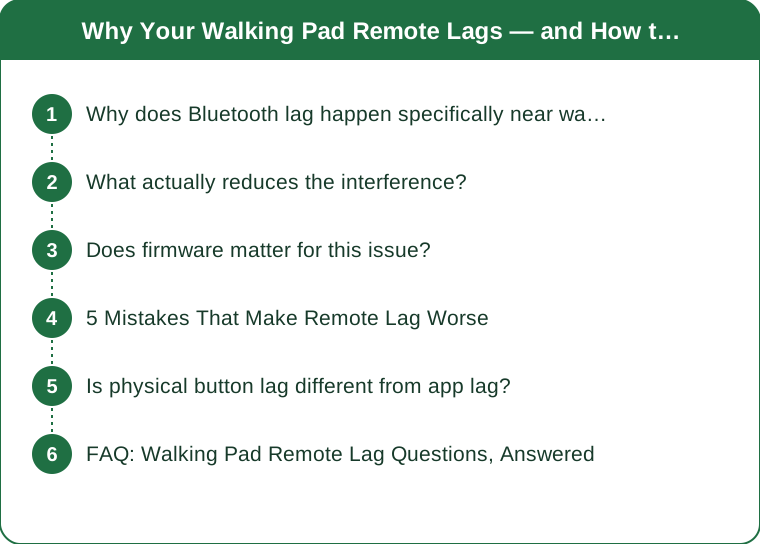
Why does Bluetooth lag happen specifically near walking pads?
Most walking pad remotes and companion apps communicate over Bluetooth Low Energy, which shares the crowded 2.4GHz frequency band with WiFi routers, microwaves, other Bluetooth devices, and even some cordless phones. In a home office setup — often packed with a laptop, monitor, phone, smart speaker, and router all within a few feet — that’s a lot of competing signal traffic for the walking pad to cut through.
The motor and control unit of the pad itself can also introduce some electromagnetic interference at close range, meaning the remote sometimes has to compete with noise from the very machine it’s controlling.
What actually reduces the interference?
Physically separating the router from the walking pad setup, even by a few feet, reduces one major interference source. Closing the companion app on other devices (some apps stay connected in the background on a phone even when you’re using the physical remote) prevents two devices from both trying to hold a Bluetooth connection to the same pad.
Restarting the pad’s Bluetooth connection (usually via a power cycle) periodically clears up connection drift that accumulates over weeks of continuous use without ever fully disconnecting.
Does firmware matter for this issue?
Yes — outdated firmware is a common, overlooked cause of connection lag, since manufacturers frequently release updates specifically addressing Bluetooth stability. Checking the companion app for a firmware update prompt (usually buried in a settings or device-info menu) before assuming a hardware problem is a worthwhile five-minute check.

5 Mistakes That Make Remote Lag Worse
Keeping the phone app open on multiple devices simultaneously. This creates a connection conflict the pad has to sort out.
Placing the walking pad directly next to the WiFi router. This maximizes rather than minimizes interference.
Never power-cycling the pad’s control unit. Connections drift and degrade over weeks of continuous power-on time.
Ignoring firmware update prompts in the app. Stability fixes are often bundled into routine updates.
Using the remote through walls or at odd angles from the control unit. Bluetooth range and reliability drop with physical obstruction, even at short distances.
Is physical button lag different from app lag?
Somewhat — the physical remote typically has a more direct, lower-latency connection than the phone app, since it’s a simpler device with less software overhead. If the physical remote lags but the app doesn’t (or vice versa), that’s a useful diagnostic clue pointing toward one specific connection path rather than a general interference problem.
FAQ: Walking Pad Remote Lag Questions, Answered
Is wired remote lag possible, or is this always a Bluetooth issue?
Some walking pad remotes use infrared instead of Bluetooth, which has different interference sources (mainly line-of-sight obstruction) rather than radio congestion — check your model’s remote type before troubleshooting.
Does the walking pad’s own speed affect remote responsiveness?
Not directly, though at higher speeds a half-second lag feels more consequential and noticeable than the same lag at a slow walking pace.
When is it actually a hardware defect rather than interference?
If lag persists after a firmware update, router relocation, and power cycle, and happens consistently even in a low-interference room, it’s reasonable to contact the manufacturer about a possible defective unit.
TL;DR:
- Bluetooth lag is usually caused by 2.4GHz interference from routers and nearby devices, not a broken remote
- Separating the router, closing background app connections, and power cycling all help
- Firmware updates frequently address exactly this kind of connection stability issue
- Compare physical remote lag to app lag separately to narrow down the actual cause
A laggy remote feels like a hardware failure, but it’s usually just radio traffic — a few environment tweaks fix what a new remote wouldn’t.
See It in Motion
Seen here: Super High Waist Embossed Yoga Leggings with Inner Pocket — shop it on bubblelime.com
Keep Reading
This article is for general informational and styling purposes only. Fit, sizing, and product availability may vary.